Latest Release — Now Available

Qwen3 Studio

Professional AI Voice Production Suite

Design, clone, and batch-produce AI voices locally.
No cloud. No subscription. Your GPU. Your creative control.

Windows 10/11  ·  NVIDIA GPU 8GB+ VRAM  ·  ~15 GB disk space

See It In Action

A full tour of every engine, the Batch Studio workflow, and the plugin system — from first launch to finished audio.


Every Voice, Every Style, Every Scene

Three purpose-built synthesis engines for every production scenario — from scripted narration to zero-shot character creation.

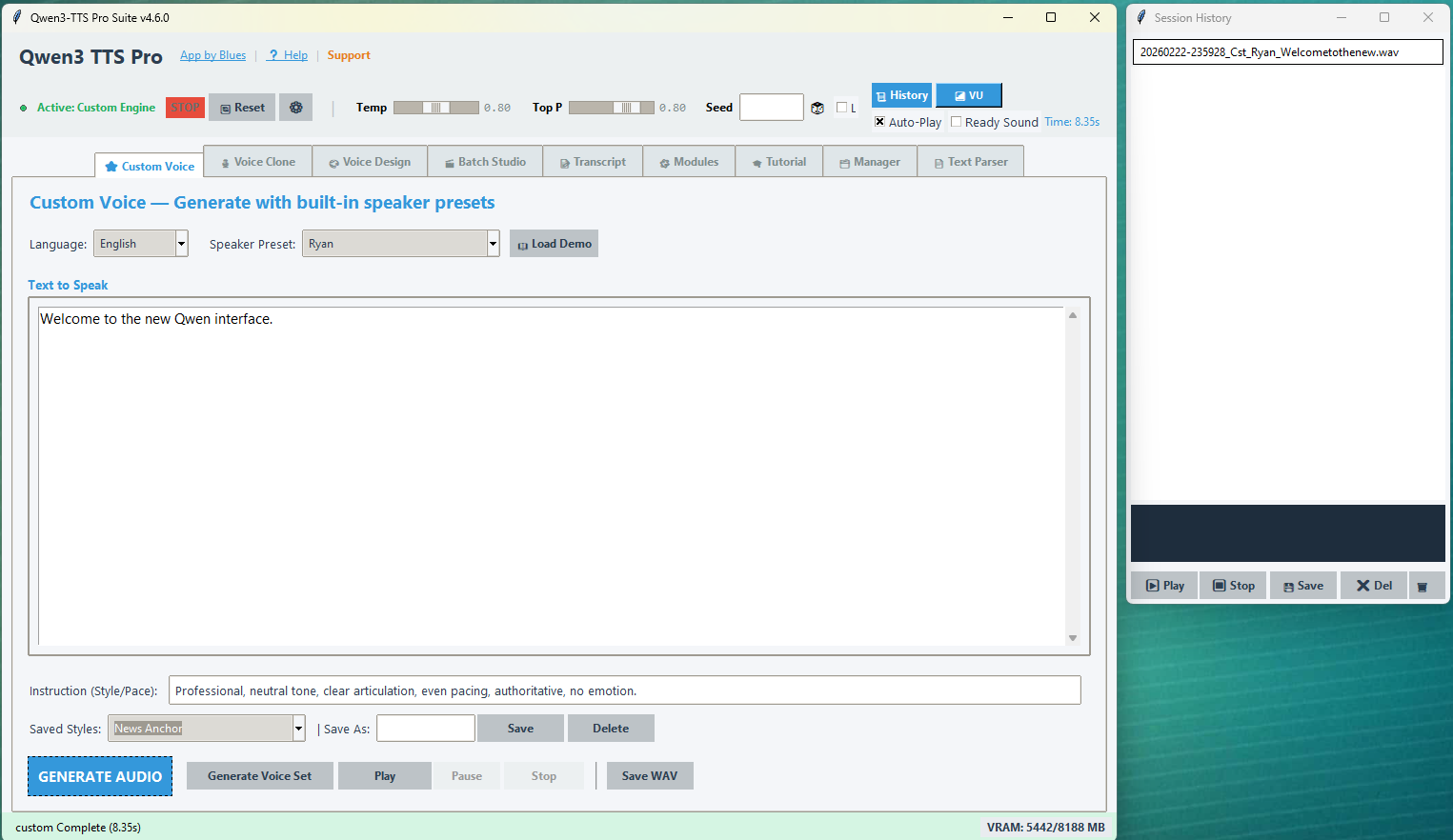
🟢 Custom Voice

Command Pre-Trained Personas

Drive a library of professionally-tuned vocal characters using plain English style instructions. Consistent, high-quality output across every take — perfect for narration, audiobooks, and reliable character voice-over.

  • 9 built-in personas — Ryan, Aiden, Vivian, Serena, Eric, Dylan, Sohee, and more
  • Style Injection: "Speak softly", "Conspiratorial whisper", "Old radio announcer"
  • Style & Profile Manager to create, save, and toggle custom styles inline
  • Seed control for perfectly reproducible takes
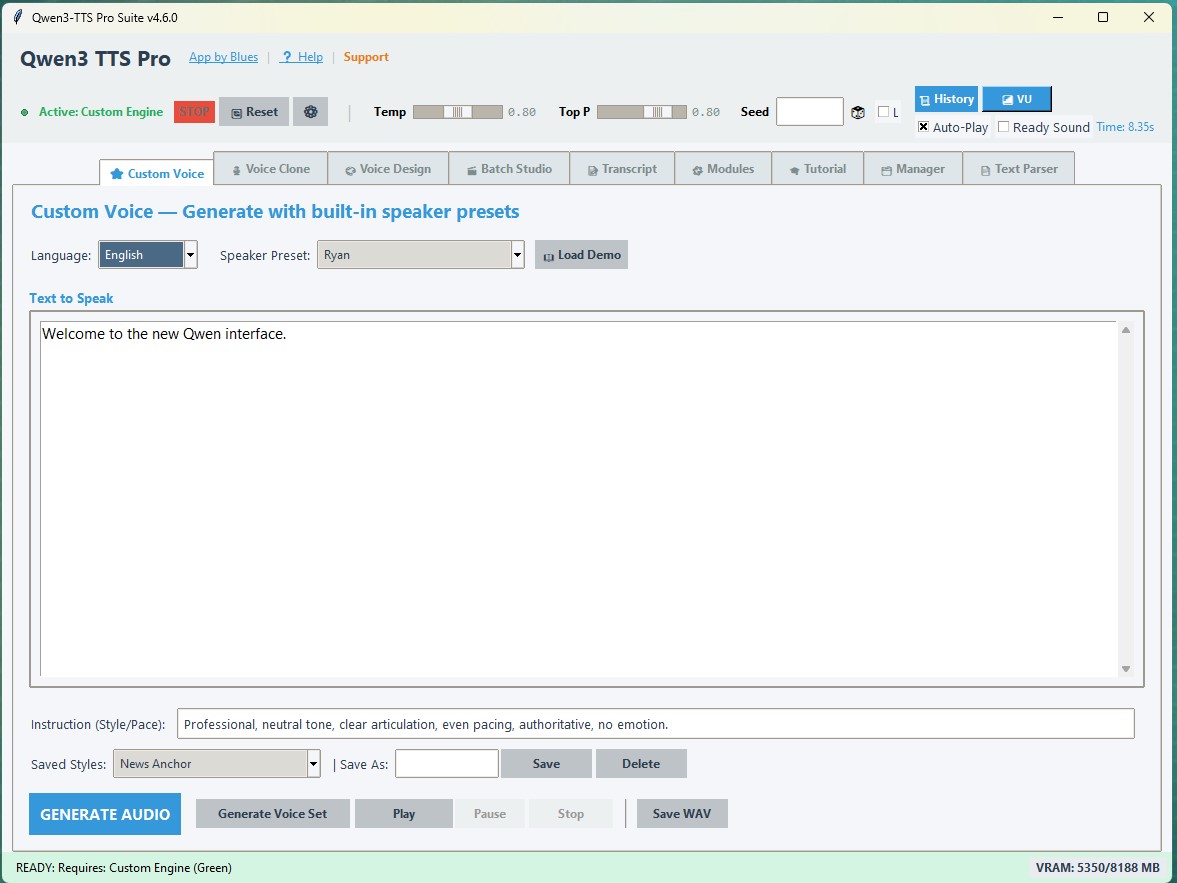
Custom Voice tab
🔵 Voice Design

Create Voices That Never Existed

Generate entirely new vocal identities from text descriptions alone. Define the body and the performance. The model constructs a unique vocal fingerprint from scratch — no reference audio required.

  • Two-field formula: Voice Description (the body) + Style Instruction (the performance)
  • "A 60-year-old gravelly smoker with a Southern drawl" — just describe it
  • Seed control to lock and reproduce exact vocal fingerprints
  • Export to Voice Clone for consistent cross-session rendering
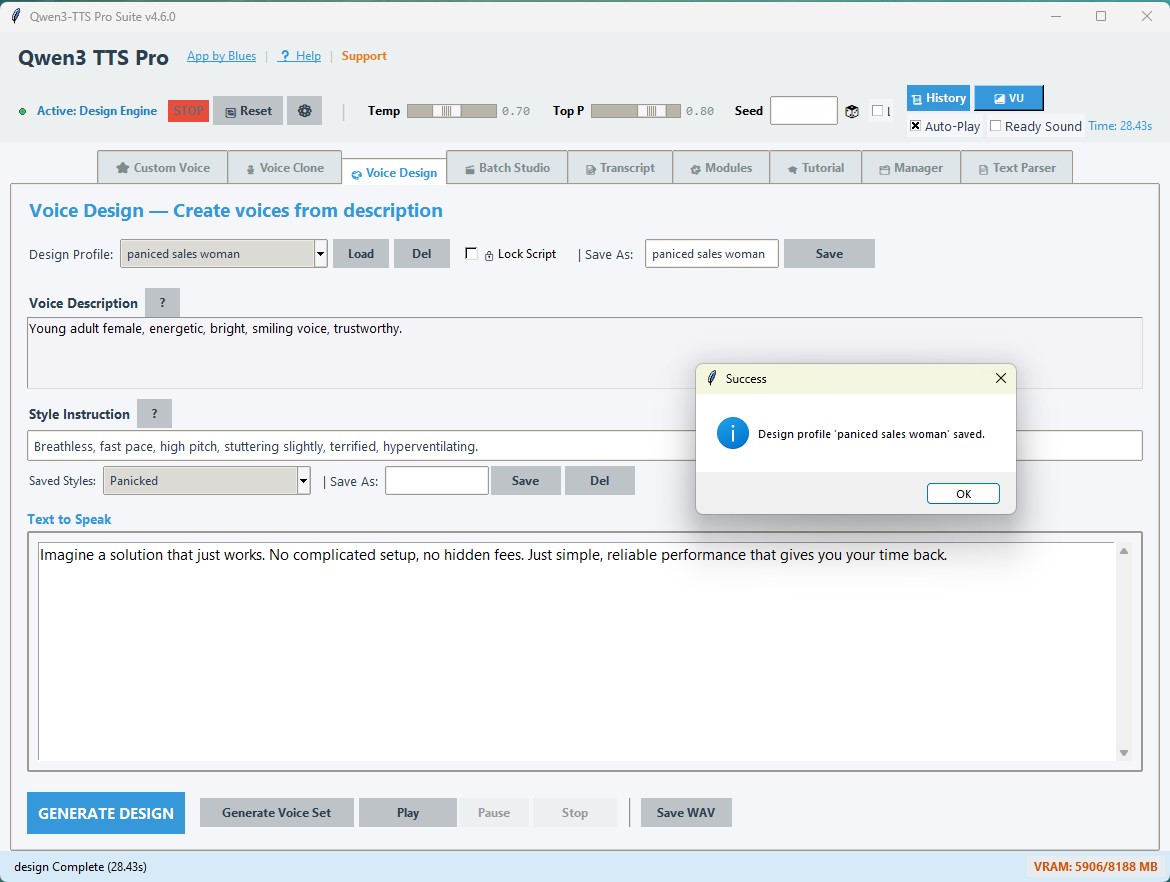
Voice Design tab
🟣 Voice Clone

Precision Digital Replicas

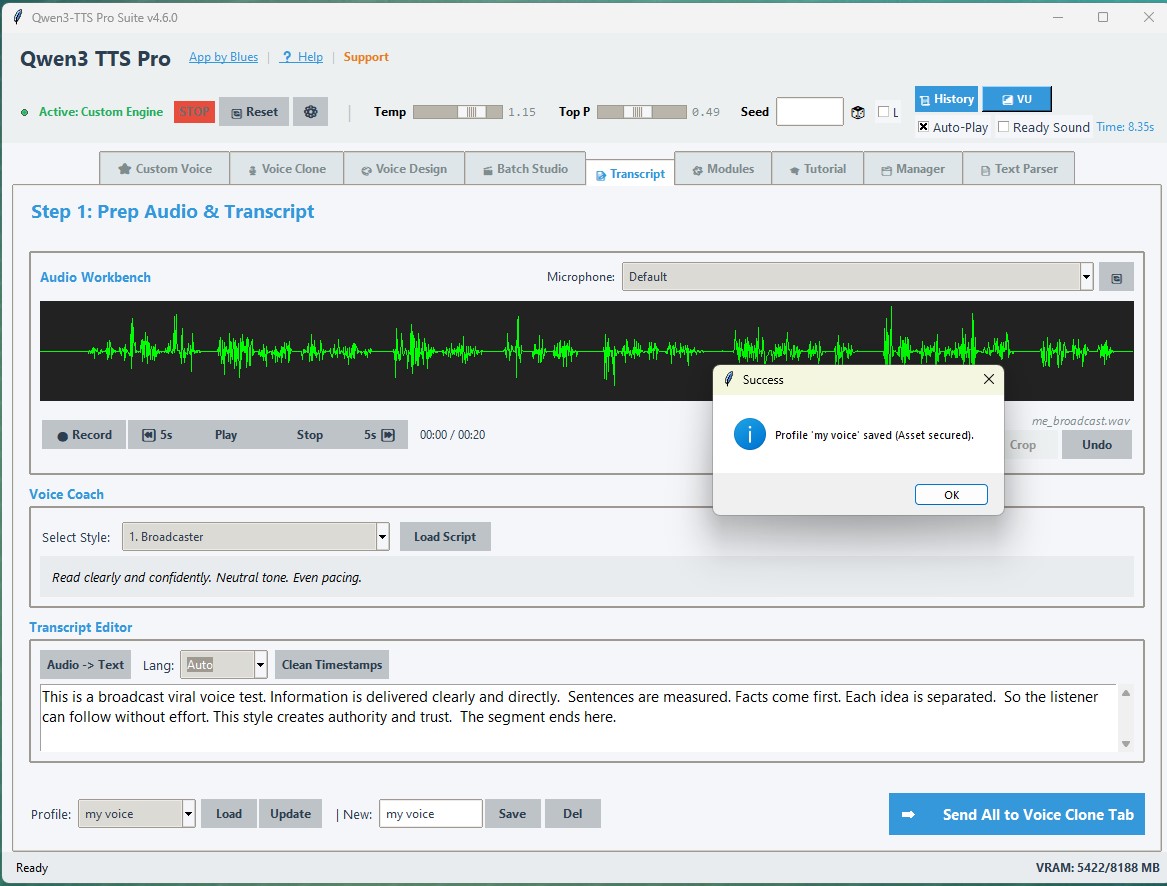
Capture any voice from as little as 3–10 seconds of reference audio. Feed it any script and the model delivers that same voice, performing your direction. The integrated Prep Station handles reference transcription automatically.

  • Only 3–10 seconds of clean reference audio required
  • Integrated Whisper AI transcription for reference preparation
  • Speaker prompt caching — computed once per batch, not per block
  • || delimiter for multi-segment long-form content rendering
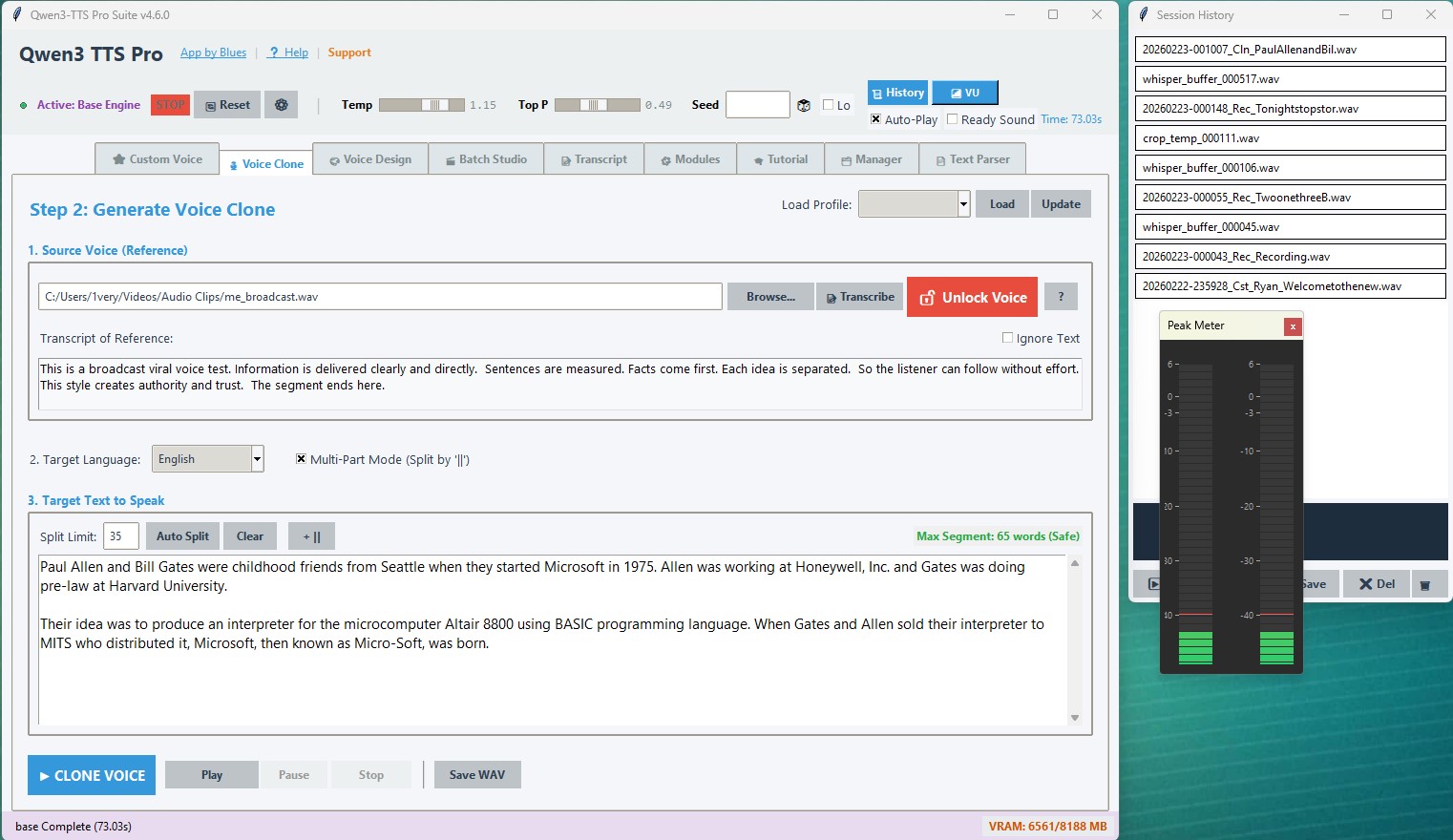
Voice Clone tab

The Full Production Pipeline

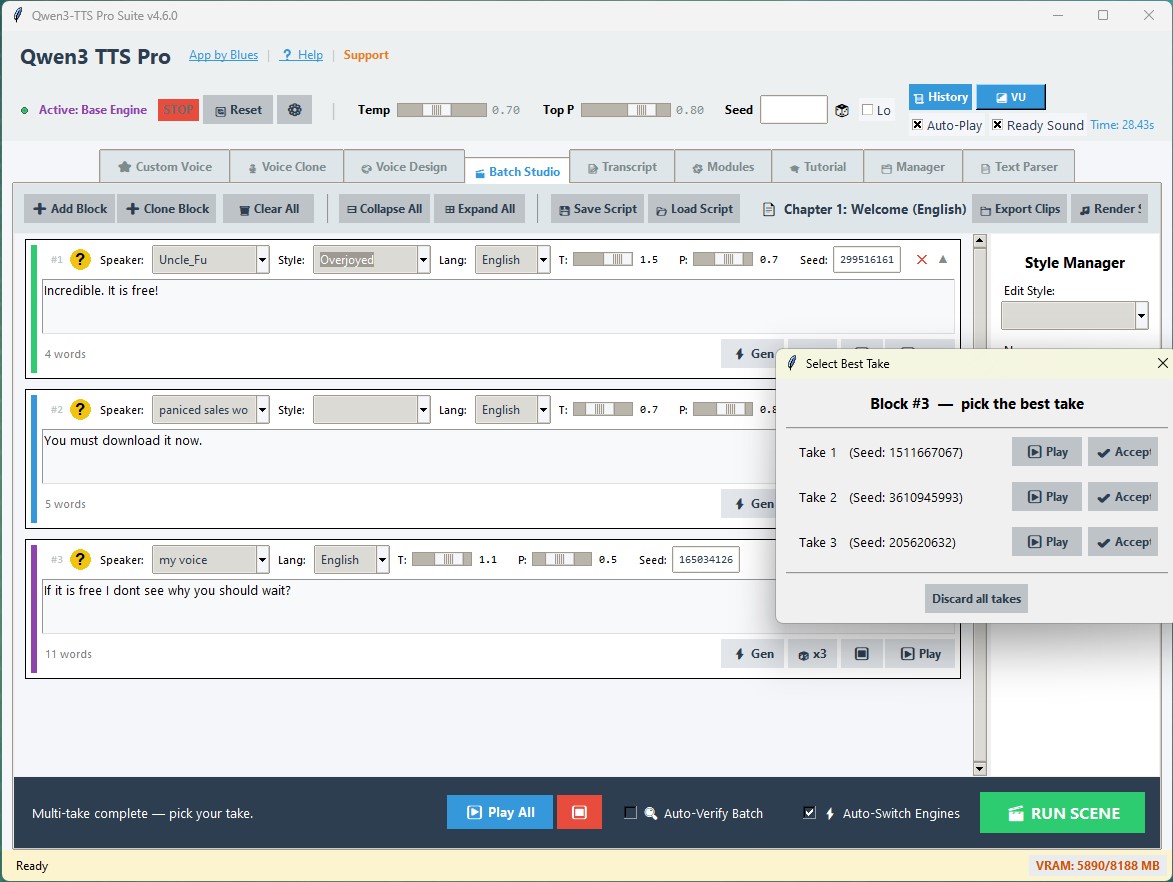
A non-linear audio director for multi-voice scripts. Produce entire podcast episodes, game dialogue trees, or audiobook chapters with a single run.

Director-Level Control Over Every Block

Each script block carries its own speaker, engine, style, language, seed, temperature, and Top P. Mix any combination of engines and voices in a single scene — Auto-Switch handles all model transitions automatically.

  • ⚡ Per-Block Gen — Regenerate a single block without touching the rest of the scene
  • 🎲 Multi-Take (×3) — Generate 3 variations silently, then pick the best; winning seed saved automatically
  • Seed Control — Pin an integer for deterministic, reproducible takes every time
  • Status Ledger — Grey → Blue (busy) → Yellow (review) → Green / Red approval workflow
  • 🔍 Auto-Verify — Post-generation Whisper audit: silence scan + transcription fuzzy-match
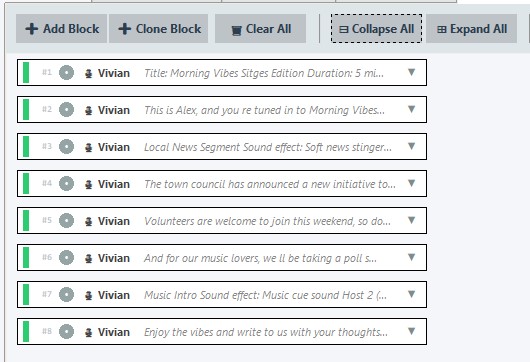
  • Collapsible Blocks — Compact headers for long scripts; Save / Load entire scenes to JSON
Batch Studio main view
Batch Studio — collapsed blocks view
Transcript Helper / Prep Station

Everything Built In

From production utilities to developer tooling, Qwen3 Studio ships with a complete ecosystem for serious voice work.

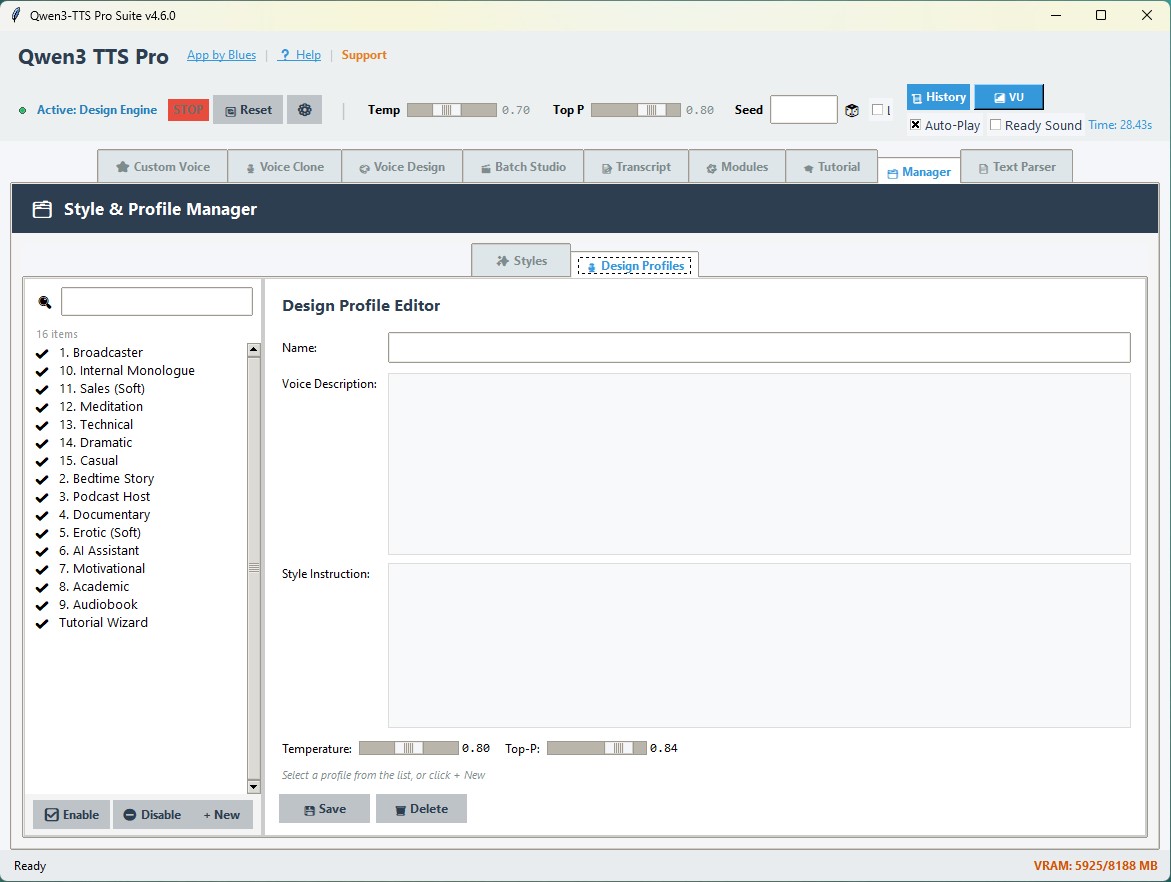
Style & Profile Manager

🗂 Style & Profile Manager

Enable, disable, create, and inline-edit all custom styles and Voice Design profiles from a dedicated tab. Changes sync live to every dropdown instantly — no restart needed.

Modules Manager

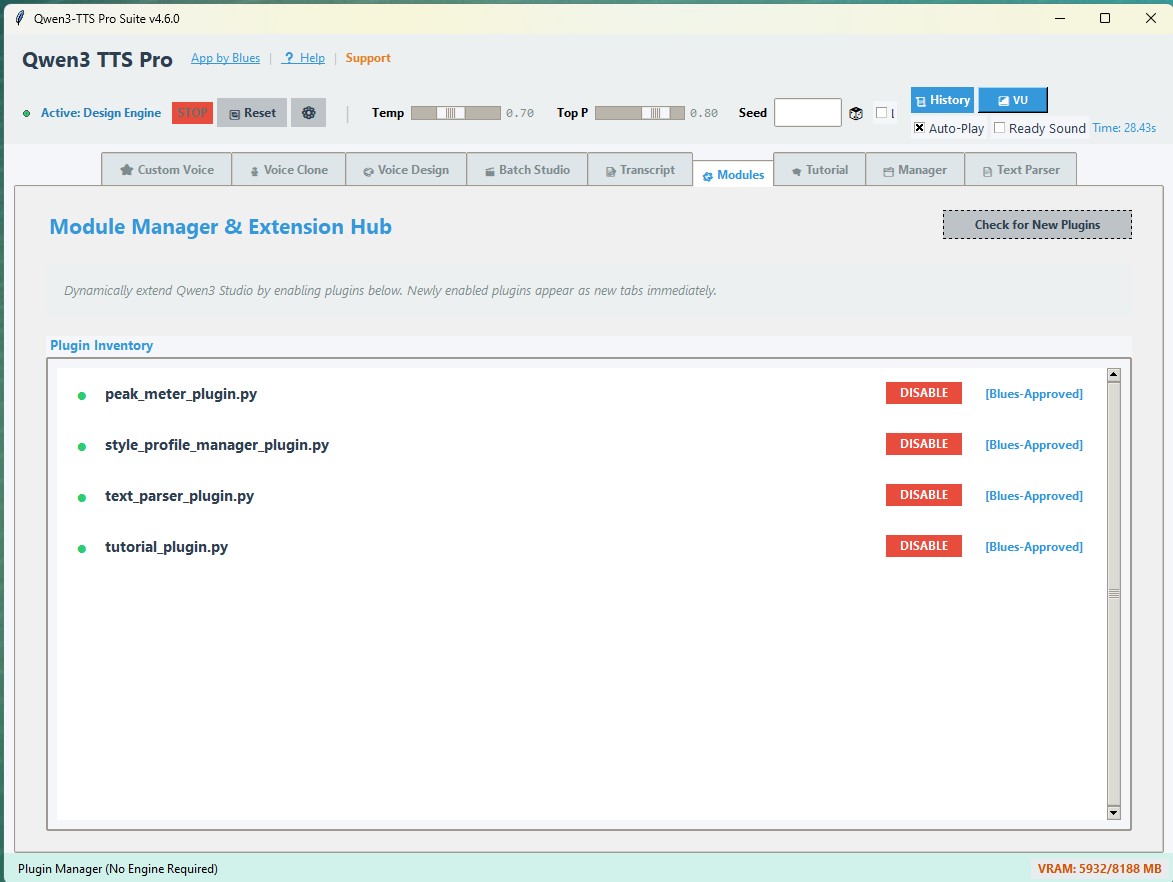
🔌 Modules Manager

GitHub-synced plugin hub with SHA-256 verification. Toggle features on/off without restarting. Pull the latest official plugins in one click, or ship your own headless extensions.

Text Parser Plugin

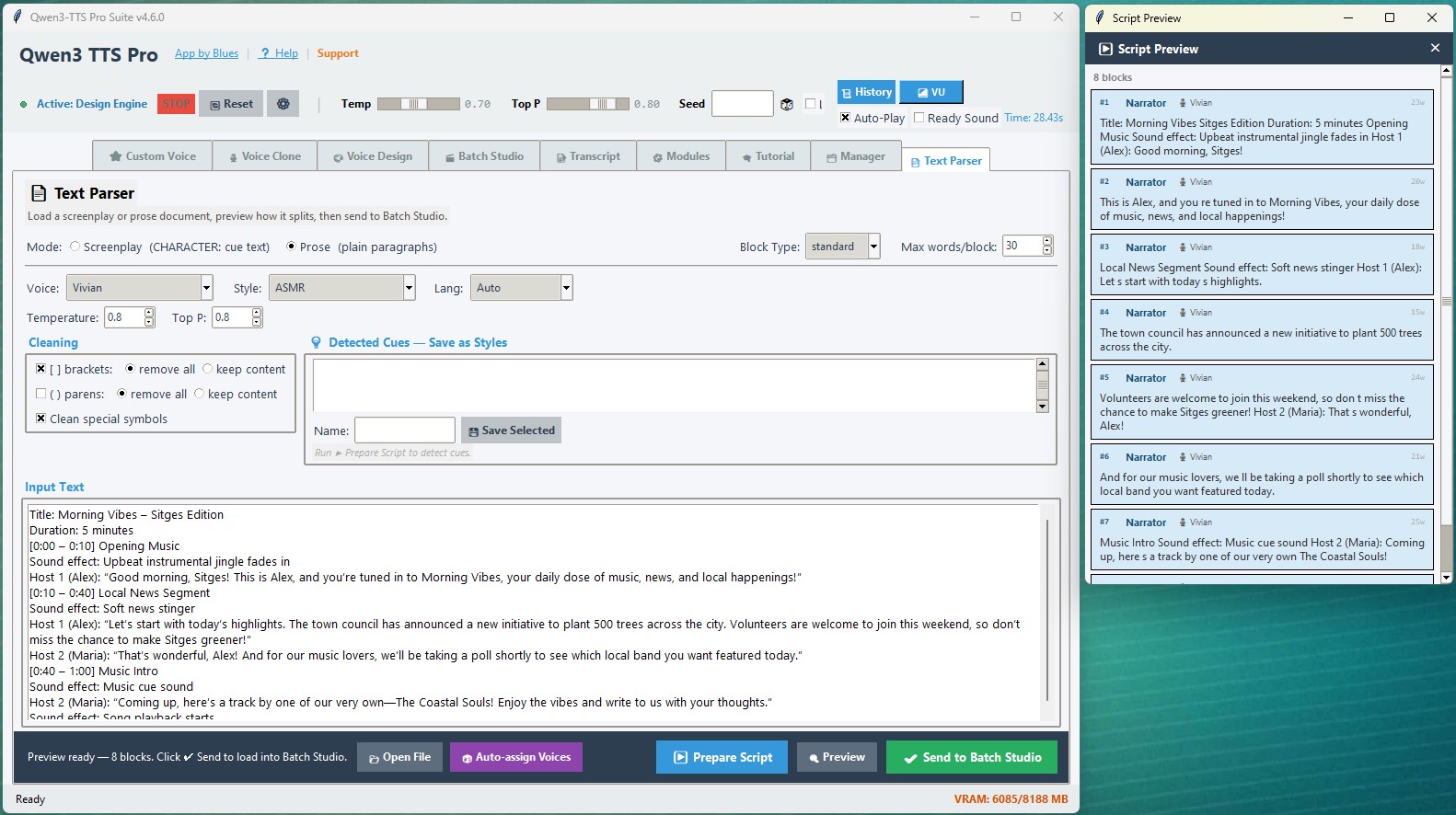
📝 Text Parser

Pre-process documents and scripts into clean, segment-ready input. Strips timestamps, normalises formatting, and splits at natural sentence boundaries for consistent rendering.

Interactive Tutorial System

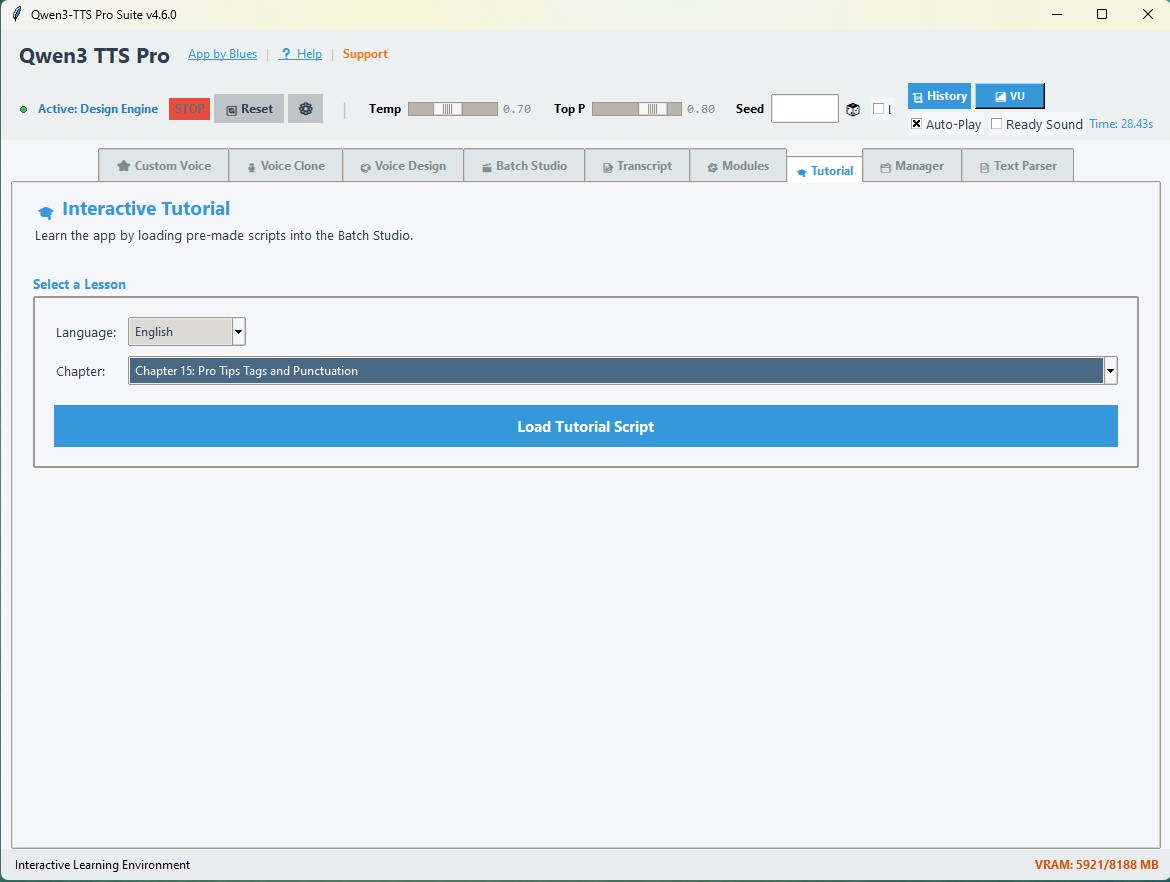
🎓 Interactive Tutorials

Built-in guided tutorials walk through each engine, the batch workflow, and advanced voice design techniques — right inside the app, without leaving the UI.

Contextual Help System

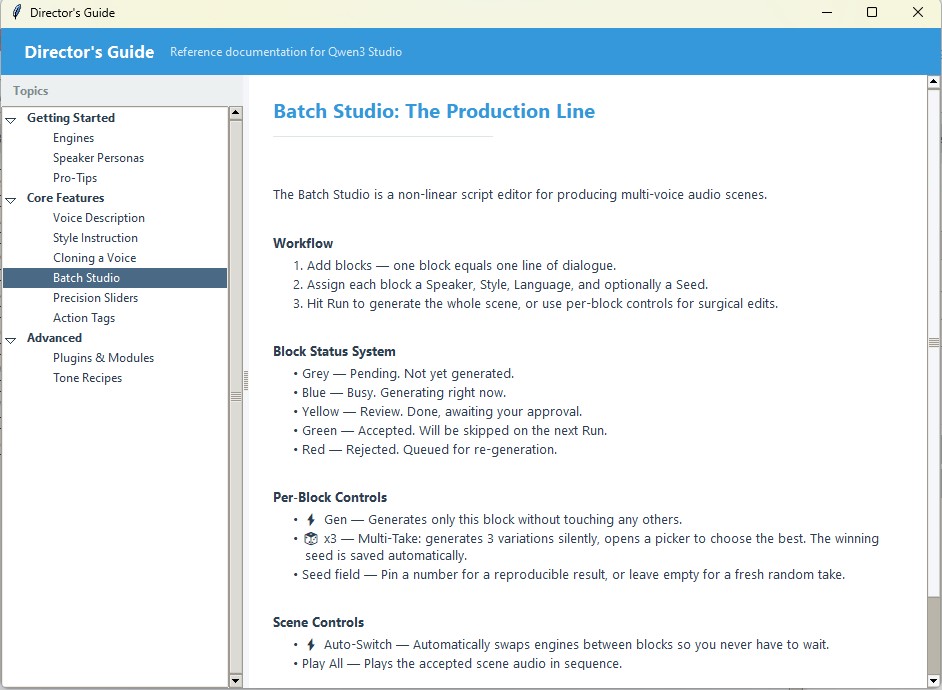
💡 Contextual Help

Every tab has an inline help panel with practical tips, tone recipes, and action tag references. Always one click away — no separate documentation window needed.

VRAM Management & Stability

⚡ VRAM & Stability

Aggressive VRAM flush between every generation and take, real-time GPU memory indicator, meta-tensor safety guard, and an emergency Reset button that never hangs or crashes.


Hear It For Yourself

These samples were generated locally using the Voice Clone engine on the 12Hz High-Fidelity architecture. No cloud. No API call.

DT

Public Figure

English

"Look, people ask me all the time — they say 'Sir, how is your voice so clear?' And I tell them, it's Qwen Studio..."

DT

Public Figure

Spanish

"Y déjenme decirles algo más. Hablo español perfectamente. Nadie habla español mejor que yo..."

DA

Sir David Attenborough

English

"Here we observe the modern content creator in their natural habitat... utilizing the new high-fidelity architecture..."

DA

Sir David Attenborough

Spanish

"Y observen la facilidad con la que cambia de piel. Ahora habla en la lengua de Cervantes, conservando su elegancia natural..."

HB

Humphrey Bogart

English

"Of all the GitHub repos in all the towns in all the world... she walks into mine. This is the one."

HB

Humphrey Bogart

Spanish

"Escúchame bien, muñeca. Esto no es un juego. Esto es calidad de estudio local."

R

Rosalía

Spanish

"Yo me paso años perfeccionando mi voz... y esta IA local la clona en cuatro segundos. Cuatro. Tengo sentimientos encontrados."

R

Rosalía

Spanish

"Mi manager me llamó muy alterado. Le dije que se tranquilizara... Luego le pregunté si sonaba mejor que yo en directo. Me colgó."

GD

Gérard Depardieu

French

"J'ai d'abord refusé — je suis un artiste, pas une machine. Puis on m'a dit: sans abonnement, sans nuage. J'ai ouvert un Bordeaux... et j'ai dit oui."

SL

Sophia Loren

Italian

"Hanno copiato la mia voce senza internet, senza pagare ogni mese — solo la GPU che lavora come un pazzo. Amico mio, questo è genio puro."

JG

João Gilberto

Portuguese

"Bossa Nova não é sobre gritar. É sobre o silêncio. Esta inteligência artificial entende isso... sussurra a minha voz. Mas onde está o meu violão?"

VC

The Godfather

English

"You come to me... into my browser... and you ask me to clone a voice. You don't even offer me a GPU. I will make you an audio file you cannot refuse."


Everything You Need to Know

From quick start to advanced plugin development — fully documented and kept up to date with every release.

🗺

Feature Specification

Full documentation covering engine architecture, the Batch Studio workflow, VRAM management, stability features, and system integration.

View on GitHub ↗
🎬

Director's Guide

Precision slider reference, in-script action tags, tone recipes, Voice Design formulas, Batch tips, and pro techniques for getting the best results.

View on GitHub ↗
🔌

Plugin SDK

Build your own tabs, background services, and automation extensions. Full API reference for the ModuleHub plugin system with working examples.

View on GitHub ↗
About the Developer

Hi, I'm Blues.

To me, good development is simply finding the best solution to a problem. Imagine you are in charge of finding the best way to get from your home to work. As a developer, I have to know all the options — whether that is walking, digging a tunnel, or taking a helicopter.

My task is to find the way that makes the journey as smooth as possible for the person traveling. I don't need to know how to build the airplane to solve the problem — I just need to know exactly when to use it. Everything I learn from life helps me find a better way to get people where they need to go. And I am always open to listening and learning from anyone who thinks we should take a different path.